Mizan

Business accounting software

Your business accounts, accurate to the last afghani

Record your sales and purchases the way you always have. Mizan keeps your totals, customer balances, and stock up to date.

  • No internet needed
  • Jalali calendar
  • Dari and Pashto
  • Afghani and dollars kept separate

Balanced

Every bill balances automatically: what you sold equals what you received plus what customers still owe you.
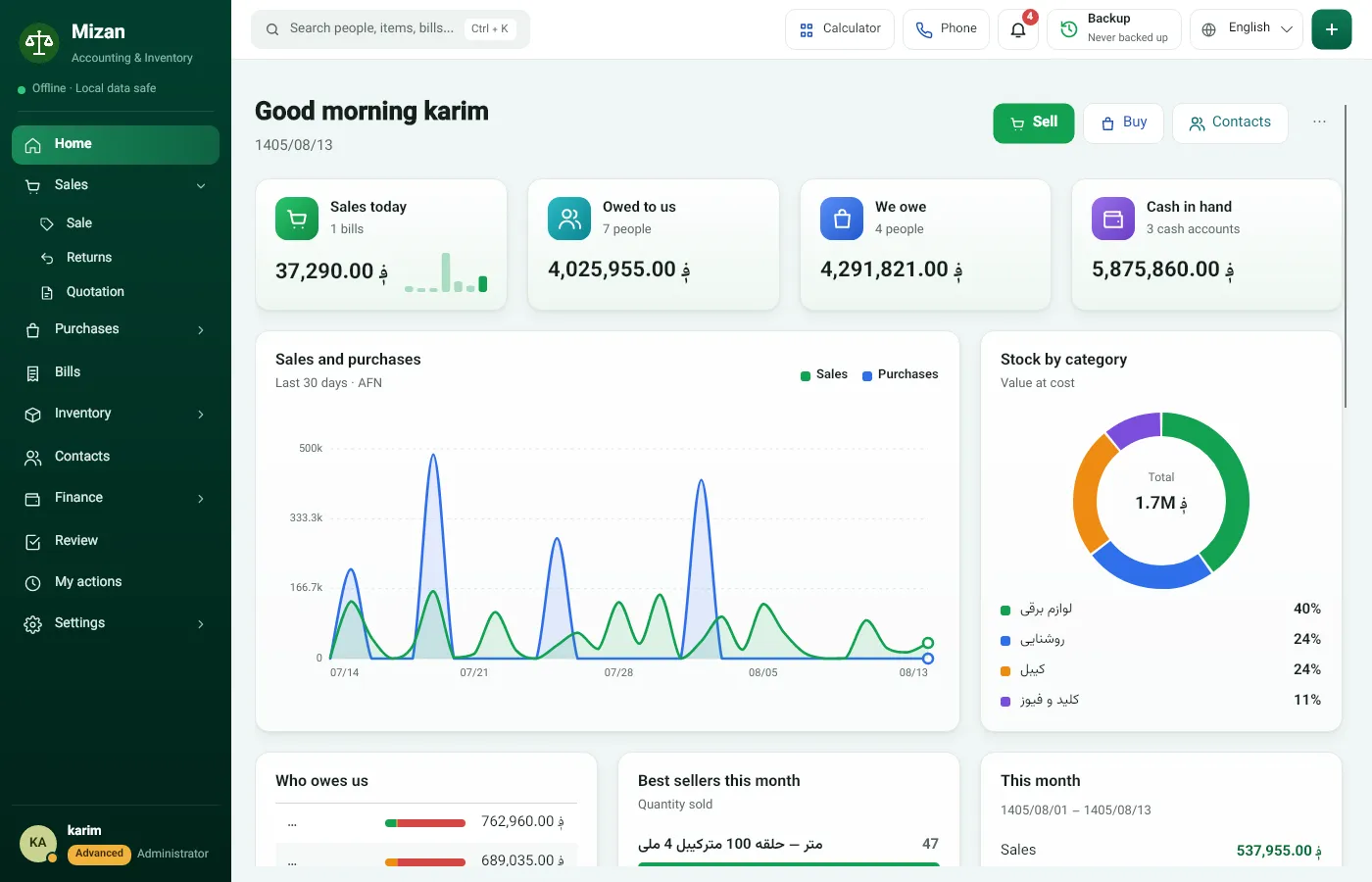
Mizan Home: sales today, cash, owed to us, we owe, and a sales and purchases chart

Real Mizan screens, from a sample business’s accounts.

Currencies are never mixed

Dollars stay dollars, afghani stay afghani. Every balance stays in its own currency; currencies are never merged through an exchange rate.

Each customer’s credit limit is set separately for each currency.

Every part of the business has its colour

Each area of Mizan keeps one colour everywhere, so you can recognise it before reading the label.

  1. Home

    Start the day at a glance.

    • Sales today, cash, owed to us, we owe
    • Sales and purchases over the last 30 days
    • What is about to run out
    Mizan Home: sales today, cash, owed to us, we owe, and a sales and purchases chart
  2. Sell and buy

    Create a bill in seconds using the keyboard.
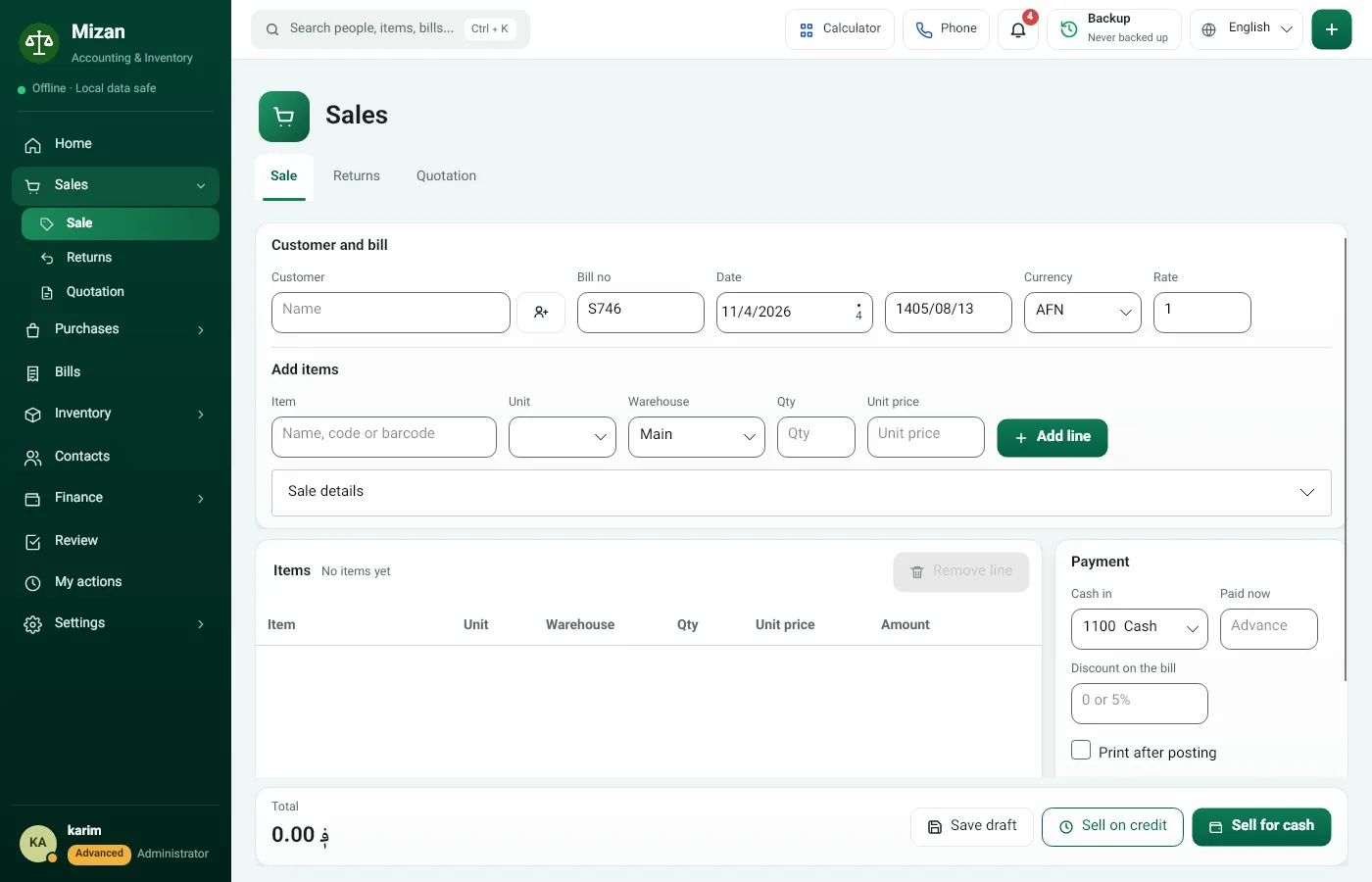
    • Type or scan an item’s name, code or barcode
    • The latest price fills in automatically
    • Cash or credit sales, quotations and returns
    Mizan’s sale screen: customer, item, quantity and payment
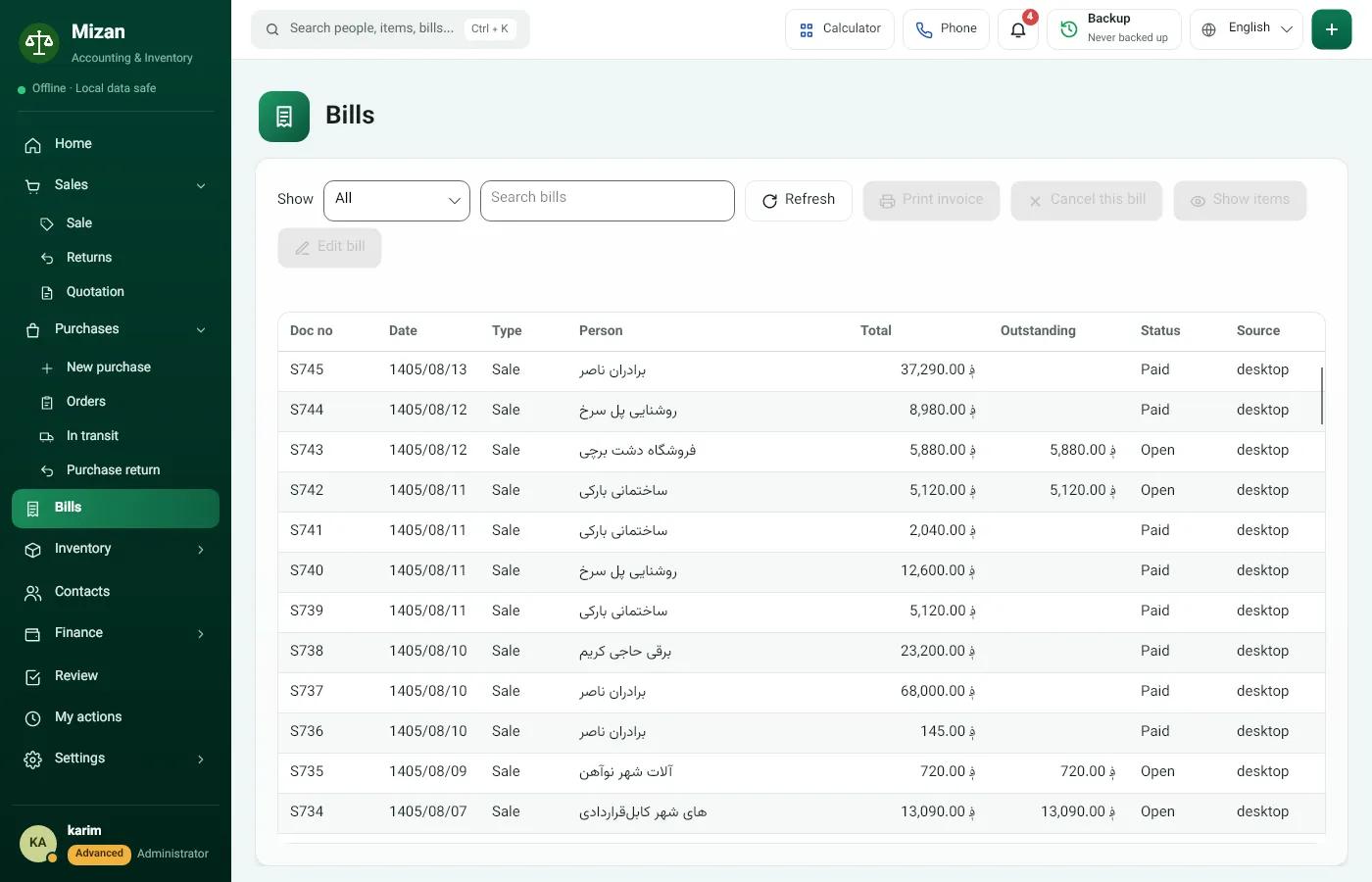
  3. Bills

    Every bill receives a unique number.

    • Search by name, number or amount
    • Reprint any bill, any time
    • Paid, partially paid, or open, at a glance
    Mizan’s bill list with number, date, person and status of each bill
  4. Inventory

    Track every item in every warehouse using its own unit.
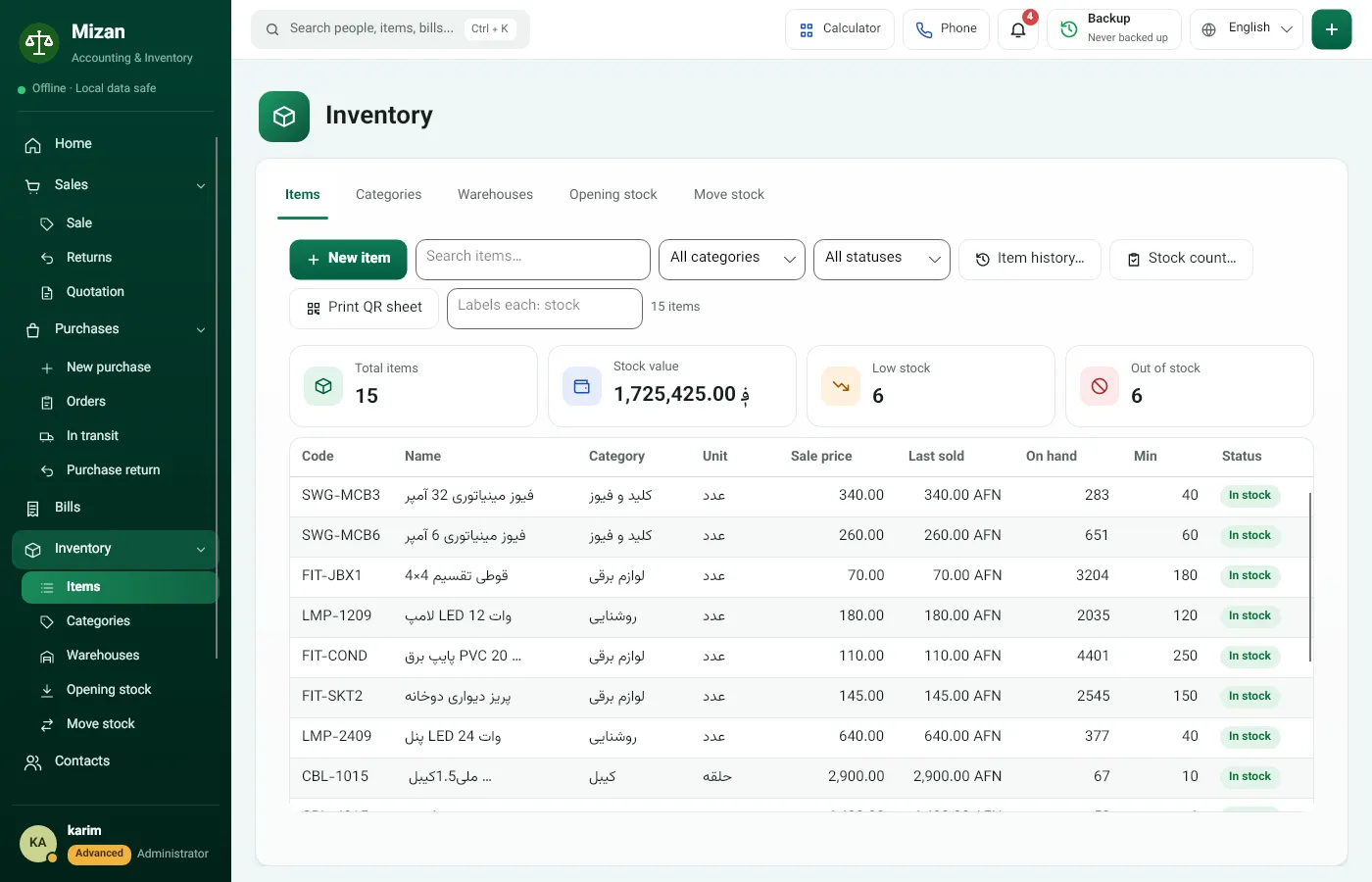
    • Singles, pairs, metres or boxes: whatever you sell in
    • A warning before an item runs out
    • QR labels for the shelves
    Inventory in Mizan: code, name, unit, price and stock of each item
  5. Finance

    Cash, receipts and payments, in every currency.
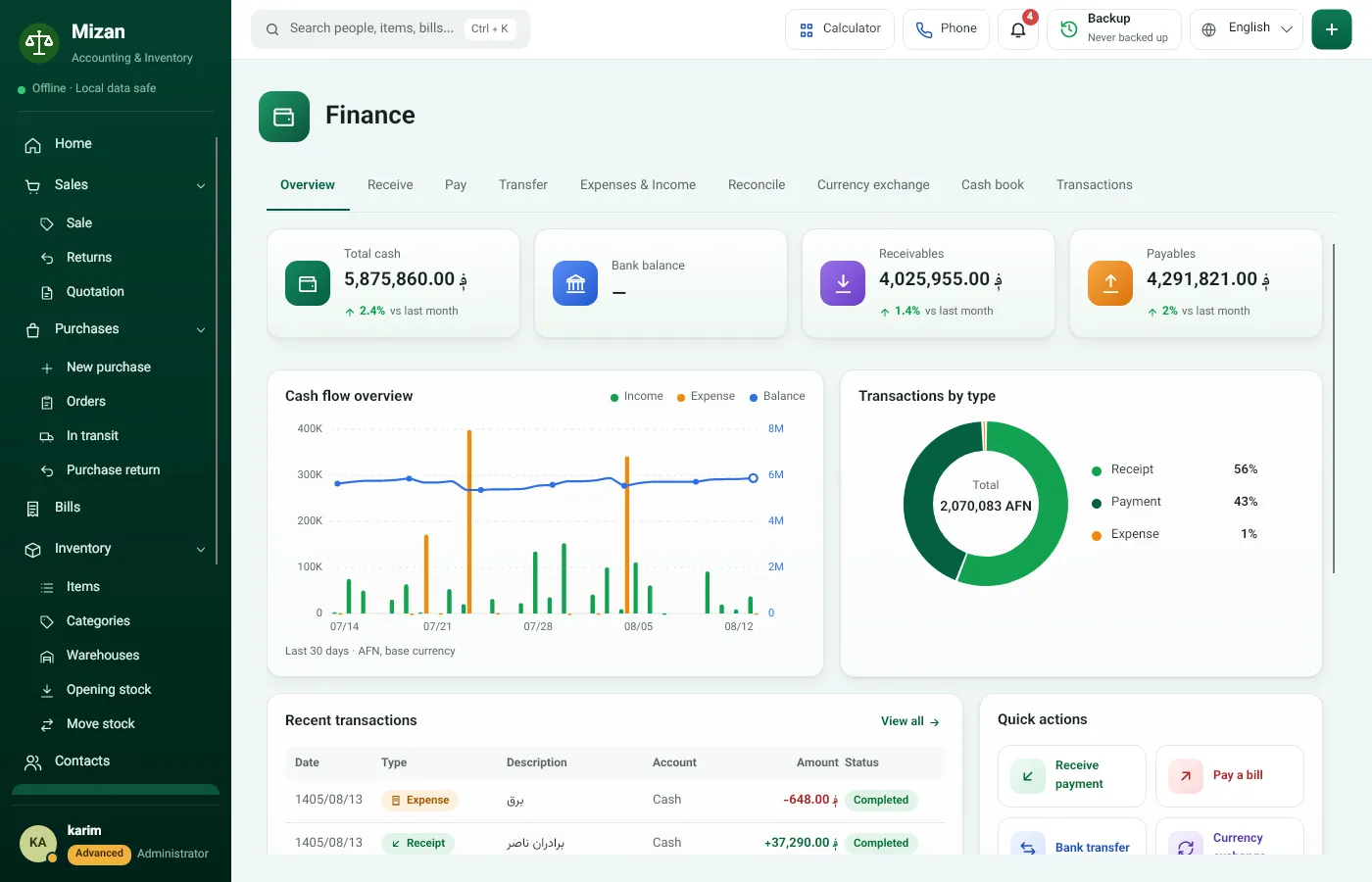
    • Receive from customers, pay suppliers
    • Expenses and income, transfers between cash boxes
    • Currency exchange and the cash book
    Mizan Finance overview: cash, receivables, payables and cash flow
  6. Reports

    Know your profit without learning accounting.
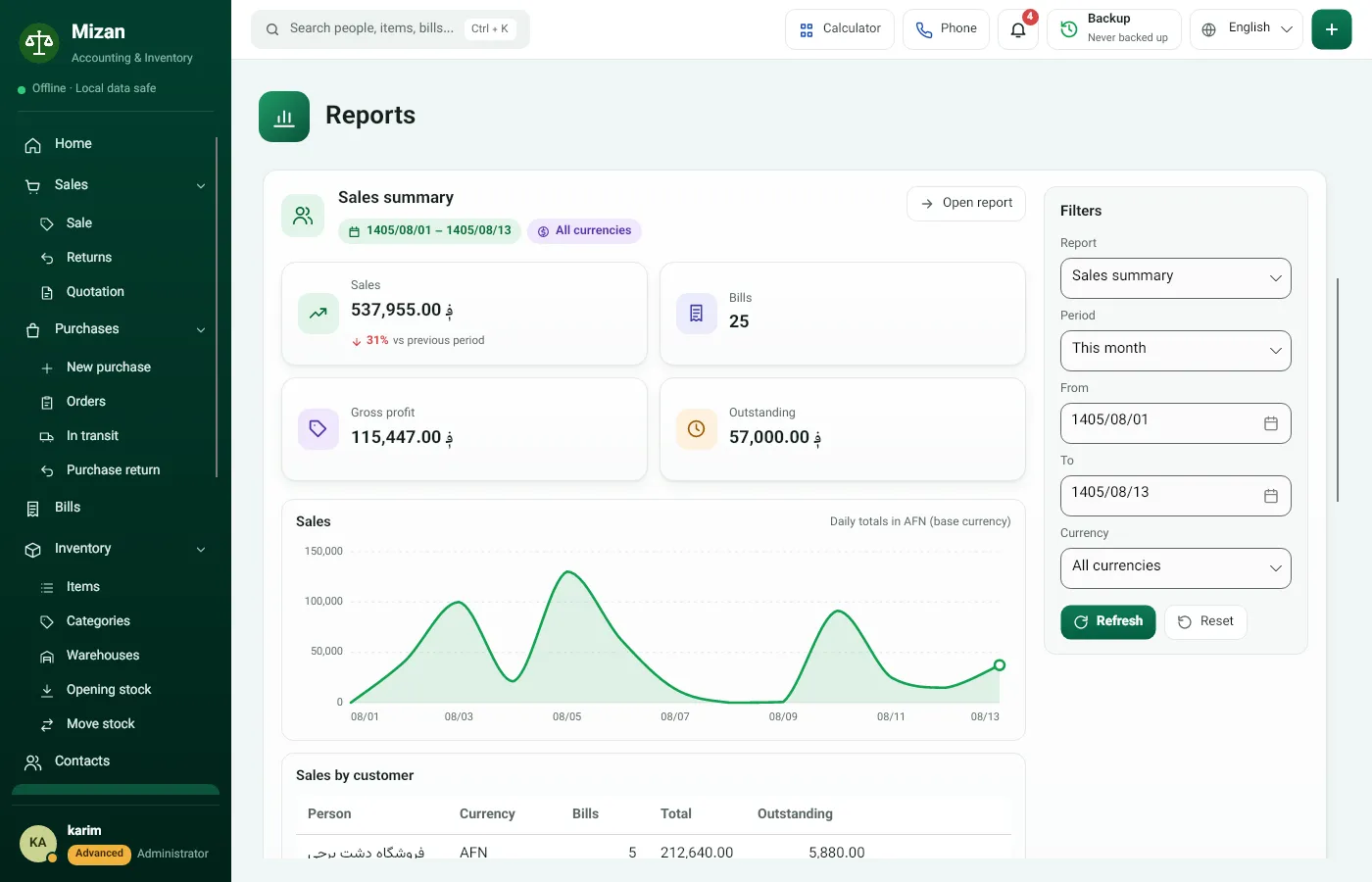
    • Sales summary, profit per bill and per item
    • What is owed, by age, and every person’s balance
    • CSV export for Excel
    Sales summary in Mizan’s reports
Mizan Home: sales today, cash, owed to us, we owe, and a sales and purchases chart Mizan’s sale screen: customer, item, quantity and payment Mizan’s bill list with number, date, person and status of each bill Inventory in Mizan: code, name, unit, price and stock of each item Mizan Finance overview: cash, receivables, payables and cash flow Sales summary in Mizan’s reports

Day or night

Light or dark, whichever is easier on your eyes. Drag the line.
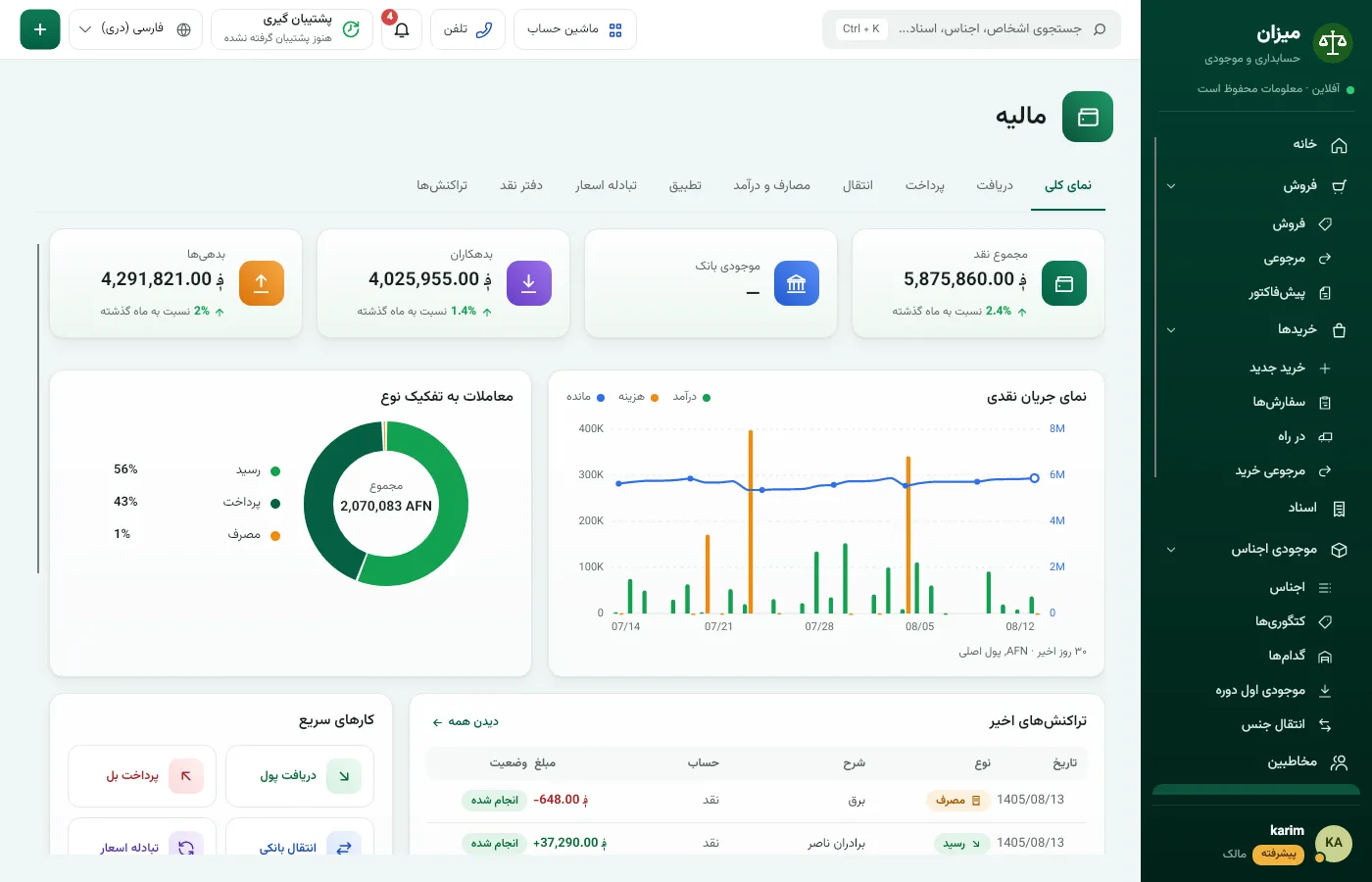
Finance in light mode Finance in dark mode

Your bill, printed the way you need it

A Mizan bill carries your business’s name and address, every item with its code and unit, the total, and the customer’s account before and after this bill.
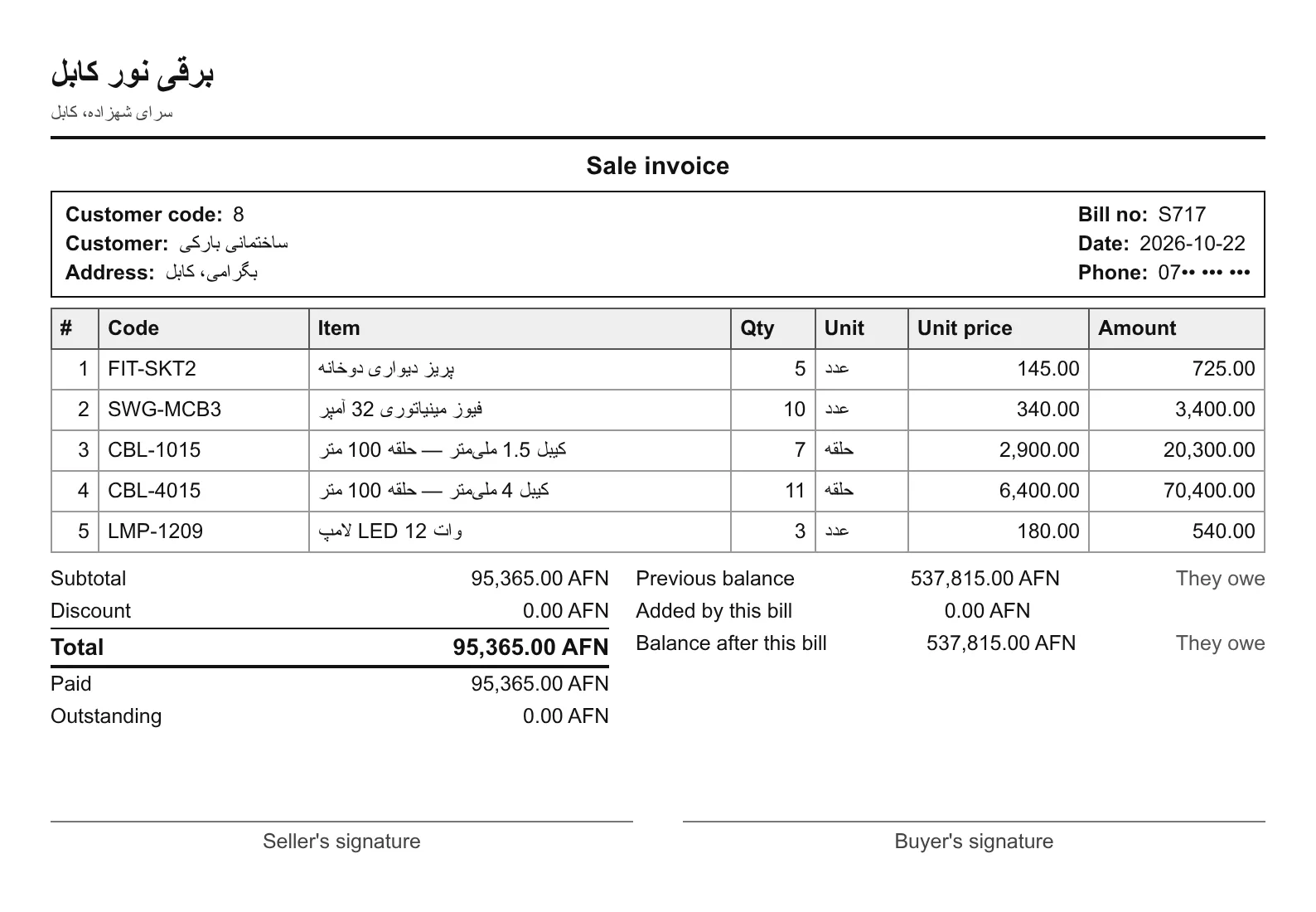
  • A4 and A5 for the office, 80 mm for the counter
  • Your own letterhead and footer images
  • Long bills run onto numbered pages
  • The customer’s balance before and after, on the bill
  • A4
  • A5
  • 80 mm
A printed Mizan sale bill with business name, items, total and the customer’s balance
A real Mizan bill from a sample business’s accounts. The customer’s phone number is hidden.

Your phone works as a second counter

Mizan’s Android app pairs with the business computer over the business’s Wi-Fi. No internet needed.

Scan a barcode
See any item’s price and stock at once.
Create a bill from the shelf
Post a sale or a purchase from the phone.
Close the day
Compare the counted drawer with the cash expected.
Low stock and today’s sales
Both in your pocket.

Phone features depend on your package.

No mistake reaches your accounts without being seen

Your worker writes the bill; you see it and approve it. Double-entry accounting runs underneath, so the numbers always agree.

  • Review queue

    Every worker’s action is reviewed by the owner before it reaches the accounts.

  • Users and permissions

    Everyone signs in with their own password and does only what you allow.

  • Encrypted on your own computer

    Your accounts stay on your own computer, not in a cloud, and will not open on another one.

  • Weekly backup

    Mizan reminds you every week to back up to a memory stick. If the computer dies, your accounts can be restored.

Three things Mizan never gets wrong

  1. A bill number is never handed out twice.
  2. A return puts the goods back in the warehouse they came from.
  3. The owner’s own cash is never recorded as a customer’s debt.

Three packages, sized to your business

Buy once; there is no monthly fee. Add another part whenever you need it.

Base

  • Buy and sell
  • Stock and warehouses
  • Bills and printing
  • People and balances
Ask for the price

Intermediate

  • Everything in the Base package
  • Quotations and returns
  • Cash management
  • Reports and dashboard
  • One phone
Ask for the price

Advanced

  • Everything in the Intermediate package
  • Every feature
  • Three phones
Ask for the price

More phones can be added separately.

Three steps to start

  1. 1

    Message us

    Send a WhatsApp message or call.

  2. 2

    Free demonstration

    See Mizan at your own business.

  3. 3

    Installed and activated the same day

    A local agent installs it, activates it and stays with you.

What traders ask

Do I need the internet?

No. Mizan works offline, and the phone talks to the computer over the business’s Wi-Fi. The internet is only used for new versions, today’s exchange rate and, if you want it, emailing the backup to your agent.

What computer does it run on?

A Windows computer or laptop. The phone app is for Android.

My worker knows no accounting. Can they use it?

Yes. The worker only writes bills. Mizan keeps the totals, customer balances, and the stock.

Does it handle dollars and afghanis?

Yes. Every bill is kept in its own currency, and each person’s balance is shown per currency.

Can anyone else see my data?

No. Your accounts stay encrypted on your own computer, not in a cloud. The only thing that leaves is the backup you put on a memory stick or, if you choose, email to your agent, and only an authorized Mizan agent can open it.

What if the computer breaks?

Your accounts are restored on a new computer from the weekly backup. A Mizan agent does it for you.

How do new versions arrive?

Mizan tells you when a new version is out and installs it. Your accounts are not touched.

How much does it cost?

It depends on the package and how many phones you want. Message us for an exact price.

See it once, then decide

A free demonstration at your own business. Installed and activated the same day.

Free demonstration Call us